Introduction
The game was created from scratch without using game frameworks or engine-unique code to consolidate the student’s knowledge in managing topics such as Object-Oriented Programming paradigm, Windows Forms, .Net Core, and C# Language. The games were not assigned but instead selected by the students based on their preferences and previous approval from the instructor, validating the complexity to challenge them. Once the project has been started, the following memo is sent to the instructor to formalize the start and clearly explain the rules of the game rummy.
Rummy Game Memo
A memo with the rules and the requirements of the rummy game before starting the project.
Class Diagrams
The game’s design starts by separating the two domains: the game logic and the graphic interface. As a result of this design, the following two diagram classes were implemented.
Game Logic Class Diagram
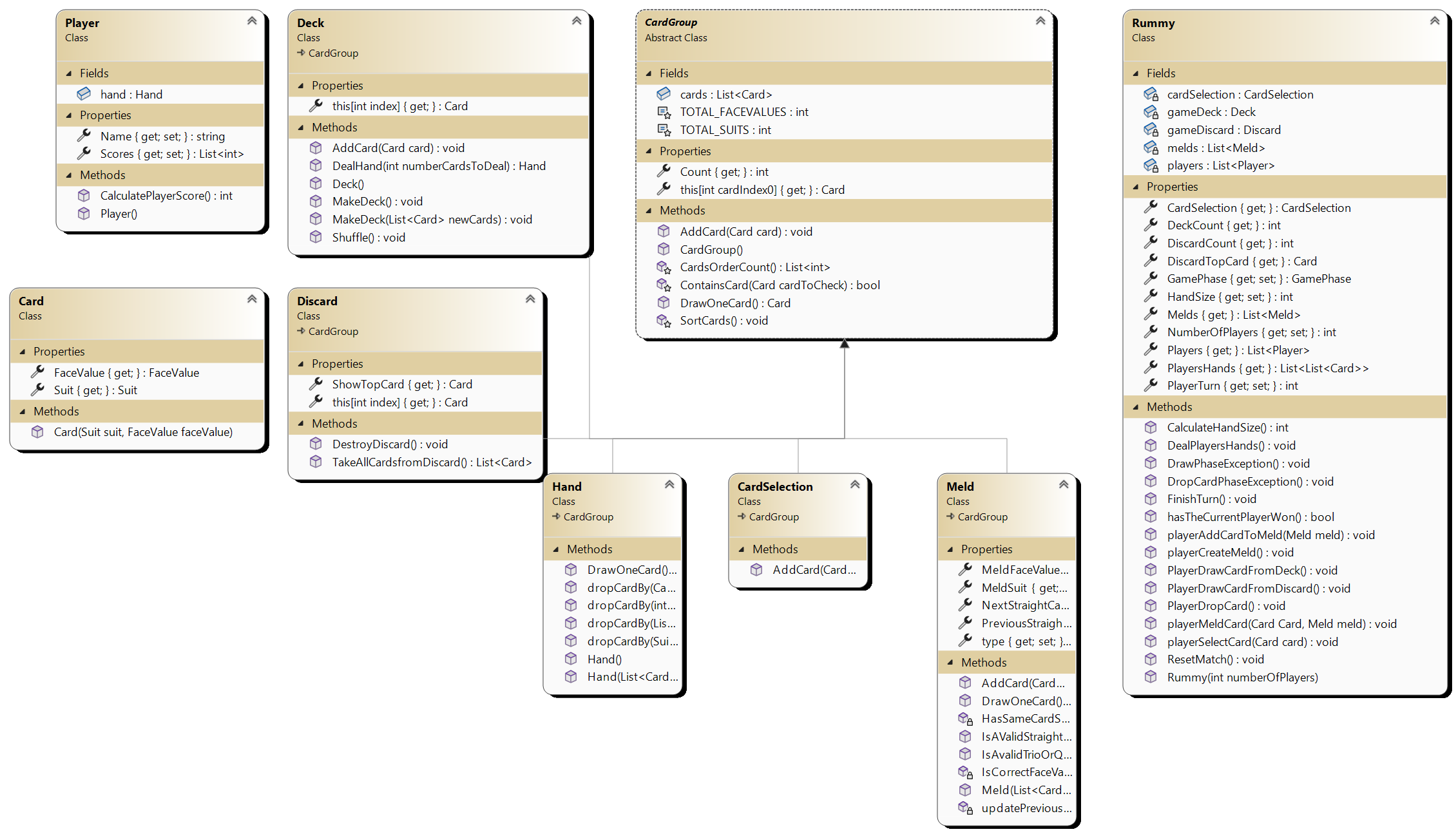
As shown in the image, all the logic of the game is implemented by the Rummy class that makes use of all the other courses related to the Card class, such as the parent class called Card Group that, by inheritance, allows for existing to classes Deck, the Discard pile, Hand, Card Selection, the meld and the player that interact with all the classes mentioned above inside of Rummy class to develop the normal flow of the game.
Graphic Interface Class Diagram
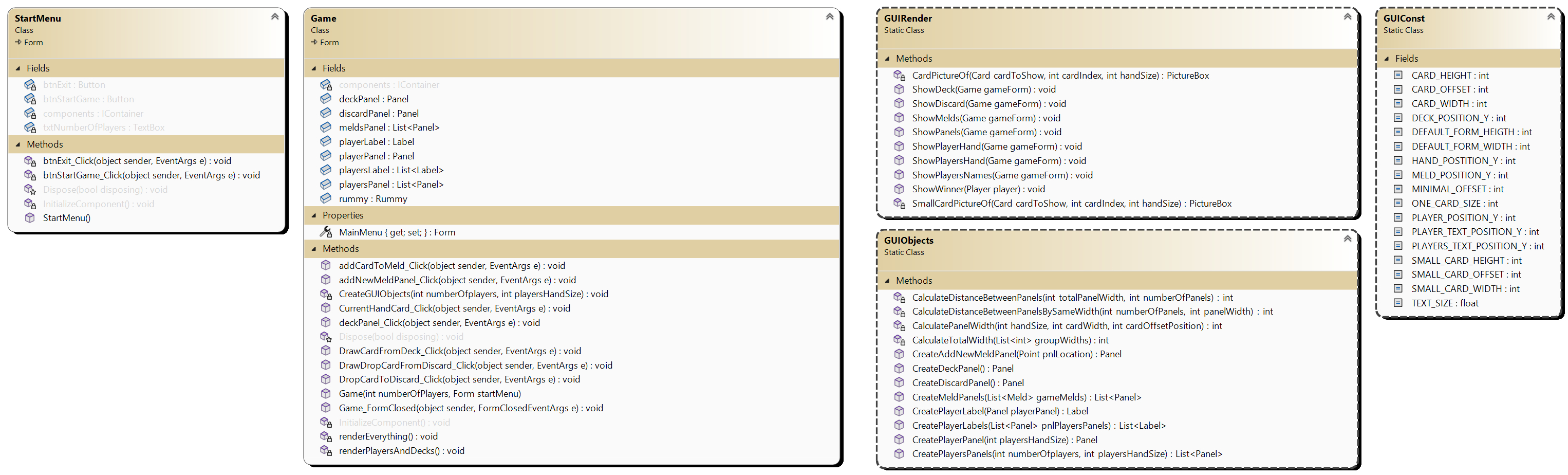
Once the logic game is ready, the classes that integrate logic and the graphic interface are contained in the Game class, which is eventually a Windows form from .Net. The Form Class Game is manipulated directly by the static class GUIRender and GUIObjects to generate a dynamic game layout and makes the changes when the player interacts with the interface; the changes are made taking advantage of C# that passes all their object by reference, allowing change its parameters directly inside of the static class.
Error Handling
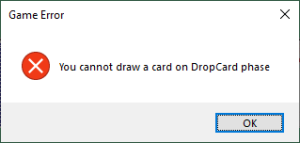
During the ordinary course of the game, the user tries to break the ordinary course of the game, and in case of that success, the GUI will notify the player why that action is not allowed, which is the current game phase. An example of the notification can be seen below.
Ordinary Course of The Game
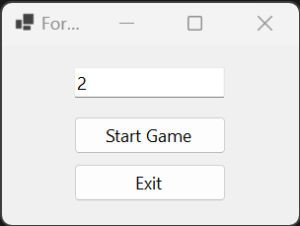
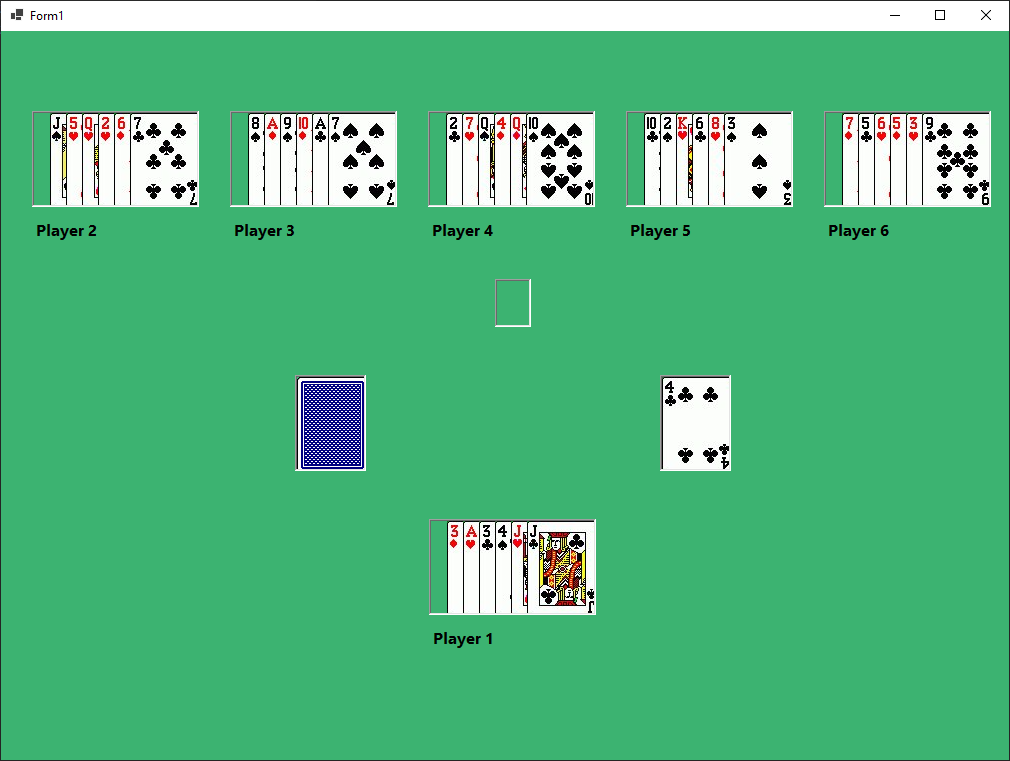
Before starting the game, an interface asks the user how many hands (players) he wants that generate a minimum of 2 and a maximum of two. When the selection has been made, the board is generated dynamically based on the decision; if the user selects a different option, a corresponding error prompt will show how to solve the error. The game logic will randomly select the player who starts the game.
Conclusion
Developing a game was a good practice to reinforce all the knowledge appropriate during the first autumn of the web and mobile application development program. The topics addressed in this project were the C# programming language, Oriented Programming Paradigm, class diagrams, and management of the .Net Core framework—valuable knowledge for the rest of my professional life.
Rummy Game Installer
One Click Deployment Generated by Visual Studio